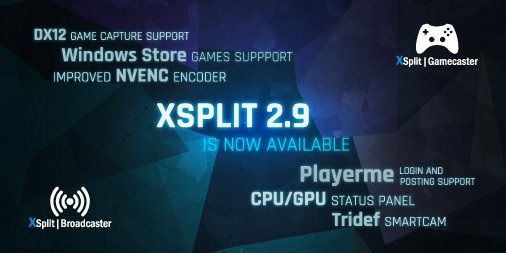
XSplit 2.9 Update Overview
[Inline image: xsplit-2-9-main-screenshot - http://streamersquare.com/wp-content/uploads/2016/11/Xsplit-2.9-Main-Screenshot.png] XSplit's latest update adds a couple really nice...

XSplit's latest update adds a couple really nice features that make the program more usable especially for anyone playing games on latest
Windows 10 Anniversary
update. The first and most noticeable change to the XSplit interface is the
status readouts
at the bottom of the window. These display your
FPS
output, the
CPU
usage,
GPU
usage, and
virtual memory
used by XSplit. The CPU and GPU readouts also display the impact for XSplit specifically which is useful if you are really pushing your system and want to know where the problem is for you. Personally, the main thing missing here is the uptime on your video. The rest of the update expands XSplit's compatibility. Primarily, the 2.9 update adds
DirectX 12 support
which will currently apply mostly to Windows 10 users. Games downloaded from the
Windows Store
are usually DirectX 12 and now you can use the regular Game Capture plugin to capture them instead of having to use screen capture in some way instead. There aren't too many DirectX 12 games yet but if you happen to play one now, this is a nice update and it will obviously be increasingly useful going forward.

Other updates include support for
TriDef SmartCam's
smart blur. The TriDef SmartCam plugin was added to XSplit a while back and was a software alternative to using chroma keying to take out your background. The blur is the same idea but it blurs your background instead of subtracting it. I've found that while the background removal can sometimes be choppy if you're not in ideal conditions, the blur effect is much more forgiving and can make your camera look a bit more interesting if you don't happen to have a perfectly arranged movie set behind you. And finally some quicker hits in the new update. The
output has been updated to use more of the Facebook streaming standards. If you want to stream to Facebook, you'll have an easier time connecting with your particular page whether it be your personal page, a group page, or a fan page. You can even select a particular event if you'd like. XSplit added social posting over to
Player.me
which is the gaming-focused social media platform that's currently part of the XSplit family.

There is now a new
experimental browser source optimization
that adds 60 FPS support for alert systems like Stream Labs or Muxy.io. If you have your own custom-made animations, this update will make them look even cleaner. There is also a new
experimental audio renderer
with WASAPI. If you had audio crackling issues with XSplit in the past, this could help you out a bit. And to wrap it back around, with the DX 12 support, there is also improved performance with the NVENC encoder specifically with newer Nvidia Pascal graphics cards. Overall, the 2.9 update is pretty cool. I don't think this is really the kind of update that will pull you away from whatever you use already but these are great quality of life improvements regardless. The Windows 10 Anniversary update tossed around a lot of things for people, as Windows updates seem to be doing recently, but the native DirectX 12 support is great. As a long time XSplit user, the CPU/GPU indicators are a welcome addition and something something the little things. And for anyone wondering, GameCaster is supposed to be getting an update soon aimed at adding anything applicable like DX 12 support and the improved Pascal performance but we'll probably talk about that when it actually comes around. XSplit has been making relatively large acquisitions recently so I'm looking out for some bigger news come 3.0. For more information, check out the
.
Go further
Want a second set of eyes on your stream?
Our consultants have grown channels from a handful of viewers to Partner. Book a 1-on-1 session and get advice specific to your content, your numbers, and your goals.
Meet the consultants