TwitchAlerts Adds Top and Banned Donor Lists
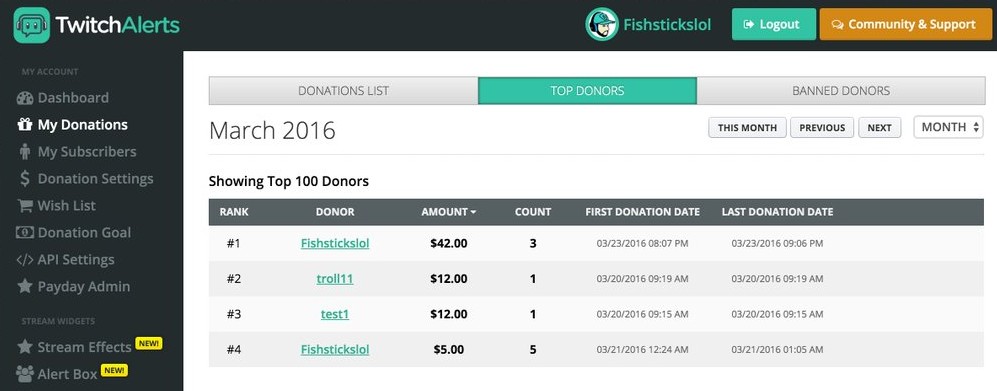
TwitchAlerts enhances stream donor information with the addition of a 'Top Donors" and a "Banned Donors" tab under the "My Donations" section. [Inline image: TwitchAlerts Top Do...
TwitchAlerts enhances
information with the addition of a 'Top Donors" and a "Banned Donors" tab under the "My Donations" section.

The Top Donors area will list the order of donors from most to least in the time frame selected in the top right corner. It's a great way to keep track of your top contributors by day, week, month, year, or even all time.

There's also the Banned Donors area. If anyone has ever trolled you in donations or charged back, this is the best way to stop them from ever doing so again. It keeps a detailed list of the date and the suspect here for future reference. Also, if you notice in the first picture, there's a special tab called Stream Effects. What are these and what will they bring? Can't wait to find out ourselves but you can be sure to visit StreamerSquare when that arrives! Check out our
category for more information on this service.
Halios00
|
|
Written by
Go further
Want a second set of eyes on your stream?
Our consultants have grown channels from a handful of viewers to Partner. Book a 1-on-1 session and get advice specific to your content, your numbers, and your goals.
Meet the consultants